How to Open EML File in Yahoo Mail (Windows & Mac Guide)

Quick Summary
This guide explains how to access EML messages inside a Yahoo Mail account on Windows and Mac. Because Yahoo does not offer an Import Mail tool like Gmail, the workflow centres on forwarding through an SMTP-capable client (Thunderbird, Apple Mail) or rendering each .eml in an online viewer and resending it to your Yahoo inbox. So you keep folders, attachments and timestamps intact without losing data.
Table of Contents
- Why Forward EML Messages to Yahoo Mail
- SMTP Forwarding Routes for Yahoo Mail on Windows and Mac
- Why Yahoo Has No Direct EML Upload
- Render EML Online and Resend to Your Yahoo Inbox
- Simple Forwarding Steps Into a Yahoo Folder
- Why the Online Viewer Beats Webmail Imports
- Yahoo 25 MB Attachment Cap and Inline Image Tips
- Troubleshooting Yahoo Forwarding Failures
- Observational Verdict
- Frequently Asked Questions
Do you want to send your old EML messages into a Yahoo Mail inbox so they appear next to your active conversations? Yahoo offers no direct upload button for .eml files, so the practical path is forwarding through an SMTP-capable client or rendering each message in an online viewer and pushing it to your Yahoo address. This guide walks through every working route on Windows and Mac.
The EML file format allows you to save an email message in a standard form including the email body, attachments, header, and metadata. These files can be opened in various clients such as Thunderbird, Windows Live Mail, and Apple Mail. However, when it comes to opening an EML file in Yahoo Mail, it becomes challenging because Yahoo does not natively recognise the format.
Yahoo Mail is a popular webmail service that offers 1 TB of storage, a strong spam filter and folder-based organisation. Therefore, it remains a common choice for both personal and professional inboxes. In many situations, users need to forward older EML messages into a Yahoo Mail folder for archival, migration, or reference purposes. We have discussed some of the reasons in the following section.
Why Forward EML Messages to Yahoo Mail
There are many reasons to access an EML file inside Yahoo Mail. Some of them are listed below. So let us check them out.
- Access EML files with Yahoo on different devices including phones and tablets.
- Edit and open EMLX files inside your Yahoo Mail account.
- In some cases, users want to switch to Yahoo instead of using EML based email clients.
- This email service provider is free and offers users plenty of storage.
- Allows users to chat without downloading a separate chat application.
- It has a privacy guarantee, 24×7 support, and effortless migration between devices.
- Centralised mailbox view that combines old archives with current correspondence.
So these were some of the reasons and benefits to open EML file in Yahoo Mail. However, there can be various reasons depending on the user’s situation and workflow.
SMTP Forwarding Routes for Yahoo Mail on Windows and Mac
Use the methods mentioned below to open EML file in Yahoo Mail on both Mac and Windows computers. Both approaches rely on an intermediate desktop email client to bridge the EML format with the Yahoo IMAP server.
#1: Forward via Thunderbird on Windows
For the manual way to open EML file in Yahoo Mail on Windows, we will use the Thunderbird email client. To begin this process, first of all, configure your Yahoo Mail account in Thunderbird using IMAP settings. After complete configuration, follow the steps mentioned below:
- Start the Thunderbird application.
- Now create a new folder. To do this, right click on the Thunderbird interface and select the New folder option.
- Drag and drop the EML file that you want to open in Yahoo to the created folder.
After these steps, the EML file will sync with your Yahoo Mail account through IMAP and become visible in webmail.
#2: Forward via Apple Mail on Mac
Just like the above steps, configure your Yahoo Mail account in Apple Mail with your IMAP details, then follow these steps:
- Start Apple Mail.
- Create a new folder.
- Drag and drop the EML files into the created folder.
- Let the EML files sync with Yahoo.
Why Yahoo Has No Direct EML Upload
Unlike Gmail, Yahoo Mail does not expose an Import Mail tool or a Mail Fetcher feature. So you cannot point Yahoo at an external mailbox and pull .eml files in. Therefore, the manual SMTP forwarding routes above are the only direct path, and they have a few practical limits.
- The process is too lengthy to implement for casual users.
- Requires installation of supported email clients such as Thunderbird or Apple Mail.
- Repetitive task when handling multiple EML files in different folders.
- Risk of sync errors if IMAP credentials or app passwords are misconfigured.
- Large attachments may fail to upload because of Yahoo size limits.
Render EML Online and Resend to Your Yahoo Inbox
The manual technique to open EML file in Yahoo Mail account is way too lengthy and frustrating for most users. Therefore, it is best to use an automated and advanced solution that can help you open all your EML files in Yahoo Mail within seconds and in one go.
Here we have recommended an automated solution called the Online EML Viewer Tool. It is a highly advanced utility that allows users to open EML files quickly so they can be forwarded or moved into a Yahoo Mail account. This utility provides many features to make this process easy to use for non technical users.
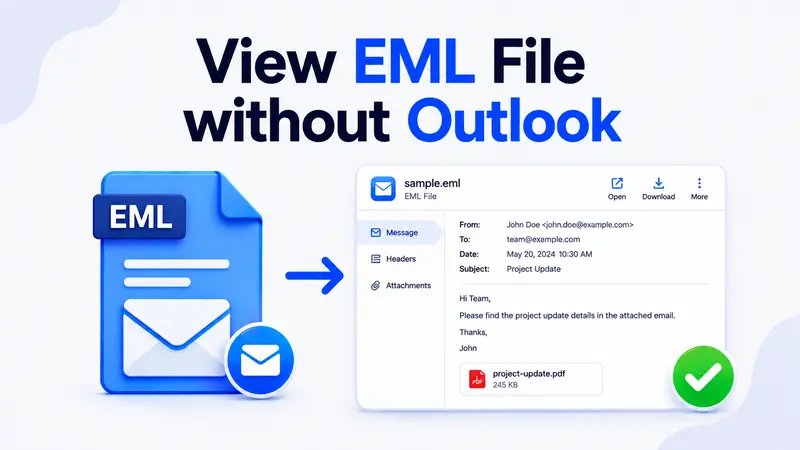
This tool requires only a few simple steps to open multiple EML files within a short time. Moreover, this professional tool works on all operating systems such as Windows, Linux, Mac, Chrome, and Ubuntu with internet access. So it can easily be used on all devices, whether it is a PC, tablet, Mac, or smartphone. Apart from this, the tool also allows you to View EML files without Outlook, Thunderbird, or any other heavy desktop client.
Open EML Files Online in Seconds
Free, secure, and works on Windows, Mac, Linux, and mobile browsers.
Note: Try this SysTools EML Converter Tool to easily convert EML files into PST, MBOX, NSF, Office 365, and MSG format for advanced migration projects.
Simple Forwarding Steps Into a Yahoo Folder
Follow the below simple and quick working steps to open multiple EML files in Yahoo Mail without facing any hassle:
- Run the software on your Windows system.
- Now, click on Select to choose your EML file for preview.
- Click on the Preview Message option to proceed.
- At last, scroll down to open EML messages and then forward them to your Yahoo address.
Try the Online EML Viewer Now
Read, preview, and forward EML messages to Yahoo without installing anything.
Why the Online Viewer Beats Webmail Imports
- Easily bulk open EML file in Yahoo Mail with 100 percent data security.
- It provides users with an option to import EML to a Yahoo Mail account.
- You will be able to locate an email from a bulk of data using fast search.
- Using different intents such as To, Cc, Subject, File Size, and Filename, it is easy to carry out data filtering instantly.
- It removes duplicate emails from the chosen EML files before forwarding.
- Compatible with EMLX files exported from Apple Mail.
- Maintains original formatting, embedded images, and attachment integrity.
Yahoo 25 MB Attachment Cap and Inline Image Tips
When you import EML messages into Yahoo, attachments and inline images need extra care. So always preview the EML in the viewer first to confirm that PDFs, DOCX files, and inline pictures load correctly. Furthermore, Yahoo Mail has an attachment limit of 25 MB per message. As a result, large attachments should be uploaded to a cloud service and referenced through a link inside the forwarded email.
Moreover, inline images that use content identifiers need to be re embedded when forwarding manually. The online viewer rebuilds these references automatically, so the message appears in Yahoo exactly as it did in the original client.
Troubleshooting Yahoo Forwarding Failures
- IMAP sync stalls. Recheck the Yahoo app password and confirm IMAP is enabled inside Yahoo account security settings.
- Folder not visible in webmail. Subscribe to the new folder from the Yahoo folder list, then refresh the page.
- Garbled characters. Confirm the EML file is saved in UTF 8 encoding before importing into Thunderbird or Apple Mail.
- Missing attachments. Open the EML in the online viewer first to verify the attachment exists, then forward to Yahoo.
- Duplicate messages. Use the viewer’s duplicate filter or move emails to a temporary folder before final sync.
Also Read: If you prefer a free desktop client, follow our guide to import EML files in Thunderbird.
Observational Verdict
In this article, we have discussed multiple solutions to bulk open EML file in Yahoo Mail accounts. Furthermore, we have provided a professional tool through which users can easily open single or multiple EML files into Yahoo Mail without any data loss. Overall, the workflow combines a quick online preview with reliable manual sync through Thunderbird or Apple Mail. So whether you are a technical or non technical user, you now have a complete roadmap to read EML messages inside Yahoo without losing structure or attachments.
Frequently Asked Questions
Q 1. How many EML files can be opened into a Yahoo Mail account?
There is no fixed limit on EML file count. So users can open and forward an unlimited number of EML files into a Yahoo account when using the online viewer.
Q 2. Can I open EML file in Yahoo Mail in bulk format?
Yes, users can open single or multiple EML files inside Yahoo mail accounts using the professional viewer tool and the IMAP sync method covered above.
Q 3. Does Yahoo Mail natively support the EML format?
No, Yahoo webmail does not directly import EML files. Therefore, you need to use an intermediate client like Thunderbird or Apple Mail, or use the online viewer to forward the content.
Q 4. Will attachments inside the EML reach my Yahoo inbox?
Yes, attachments under 25 MB are preserved during forwarding. For larger files, upload them to cloud storage and share the link inside the forwarded message.
Q 5. Is the online EML viewer safe to use with private mail?
Yes, the viewer processes files in your browser session and does not store messages on a server. So your private correspondence remains confidential during preview.
Q 6. Can I open EML files in Yahoo Mail on a mobile device?
Yes, the online viewer runs in mobile browsers such as Chrome and Safari. So you can preview EML files and forward them to your Yahoo address directly from a phone or tablet.
Over to you. Which method worked best for moving your EML archive into Yahoo Mail? Share your experience in the comments so other readers can pick the right approach.