What is an EML File? Format, Uses & How to Open It

Summary
An EML file is a plain text email saved in the MIME format defined by RFC 5322. So it stores the message body, headers, attachments and metadata in one file with the .eml extension. Also, most email clients like Outlook, Thunderbird, Gmail and Apple Mail can open it.
Table of Contents
- What is an EML File
- What Does the .eml Extension Mean
- EML File Format Explained
- Anatomy of a Real .eml File
- A Short History of EML
- Why the EML Format Exists
- Which Programs Create EML Files
- Real World Uses of EML Files
- How to Open an EML File
- EML vs MSG vs MBOX
- Are EML Files Safe to Open
- Convert EML to Other Formats
- Troubleshooting Common EML Problems
- FAQs
What is an EML File
An EML file is a single email message saved as a plain text document. In short, the .eml extension stands for electronic mail. If you open one in Notepad, then you will see the raw email. First, headers sit at the top. Next comes a blank line. After that, the body follows. Finally, attachments live further down as base64 blocks.
So that is the whole format in one sentence. No proprietary container, no database, just text following the MIME standard described in RFC 5322.
Over the years, I have opened thousands of .eml files across forensics, migration and support work. As a result, I can confirm the format has not changed in any meaningful way since 2008. That is exactly the point. In fact, EML is the closest thing email has to a universal save format.
What Does the .eml Extension Mean
The .eml extension marks a file as a single email message. Back in 1997, Microsoft Outlook Express introduced it. However, the format itself predates the extension by almost twenty years. Specifically, RFC 822, published in 1982, defined the structure of an internet email message. As a result, every .eml file still follows that lineage.
You will also see related extensions on the same theme:
- .eml a single MIME email message
- .emlx Apple Mail’s wrapper around an .eml file with extra metadata
- .emltpl an EML template used by Mozilla Thunderbird
- .msg Microsoft Outlook’s proprietary binary email format
Of these, only .eml is a true open standard. By contrast, the rest are vendor formats that store similar data in different ways.
EML File Format Explained
Every .eml file has three parts in a fixed order.
1. Headers
This is the top section. It includes From, To, Subject, Date, Message-ID, Received chains, DKIM signatures and dozens of other fields. Each header is one line. Finally, the block ends when a blank line appears.
2. Body
Next, the message itself. It could be plain text. Alternatively, it could be HTML. In some cases, it could be both, wrapped in a multipart/alternative MIME section so the email client picks whichever it can render.
3. Attachments
Finally, files get encoded in base64 and wrapped in their own MIME parts. For example, a 500 KB PDF attachment becomes roughly 680 KB of text inside the .eml. That is why EML files are larger than the original message looks.
Typically, a .eml file is between 5 KB and 2 MB. Anything larger almost always has attachments inside.
Anatomy of a Real .eml File
Theory only takes you so far. So here is what the top of a real .eml file actually looks like when you open it in a text editor.
Return-Path: <sender@example.com>
Received: from mail.example.com by mx.recipient.com
  with ESMTPS id 7Xk9...; Tue, 12 Mar 2024 09:14:22 -0500
Message-ID: <CA+abc123@example.com>
Date: Tue, 12 Mar 2024 09:14:20 -0500
From: "Jane Sender" <sender@example.com>
To: "John Recipient" <recipient@example.com>
Subject: Quarterly report attached
MIME-Version: 1.0
Content-Type: multipart/mixed; boundary="boundary_abc123"

--boundary_abc123
Content-Type: text/plain; charset="UTF-8"

Hi John, please find the Q1 report attached.

--boundary_abc123
Content-Type: application/pdf; name="Q1-report.pdf"
Content-Transfer-Encoding: base64
Content-Disposition: attachment; filename="Q1-report.pdf"

JVBERi0xLjQKJeLjz9MKMSAwIG9iago8PC9UeXBlL0NhdGFsb2cv...
--boundary_abc123--
Notice the structure. First, the headers describe routing, identity and content type. Then a blank line separates headers from the body. After that, boundary markers split each MIME part. Finally, the base64 block at the bottom is the encoded PDF.
Every .eml file follows this same pattern. So once you can read one, you can read them all.
A Short History of EML
The .eml format did not appear overnight. Instead, it grew out of decades of email standards work.
- 1982 RFC 822 defines the structure of an internet text message.
- 1992 RFC 1341 introduces MIME, which adds attachments and rich content types.
- 1997 Microsoft Outlook Express ships and uses the .eml extension to save individual messages.
- 2001 RFC 2822 refreshes the message format standard.
- 2008 RFC 5322 supersedes RFC 2822 and remains the current spec.
- Today .eml is the default single-message export across most clients and a staple in email forensics.
So the format you save today rests on more than forty years of open standards. That stability is why archival workflows trust it.
Why the EML Format Exists
Outlook stores mail in PST. Meanwhile, Thunderbird uses MBOX. Apple Mail uses EMLX. As for Gmail, it keeps everything on Google’s servers. Unfortunately, none of those formats talk to each other natively.
So EML solves that problem. One message, one file. Importantly, any client can read it because every modern email client implements MIME parsing anyway. For instance, move an .eml from Outlook to Thunderbird and it opens. Likewise, drag it into Gmail through an upload tool and it imports.
This is why archival and forensic workflows lean on EML. First, the file is self-contained. Also, the text is human readable. Plus, the standard is public. As a result, you can open a 1998 .eml today and read it without any special software.
Which Programs Create EML Files
Several email clients save messages as .eml by default or on demand.
- Microsoft Outlook drag a message to your desktop and it saves as .eml
- Mozilla Thunderbird use File then Save As to export to .eml
- Windows Mail saves incoming messages directly as .eml
- Apple Mail exports as .eml or its richer .emlx variant
- Gmail the “Download original” option on any message produces an .eml
- eM Client, Mailbird, Postbox all use .eml as their primary export format
Additionally, server-side mail systems also emit .eml. For example, Postfix, Microsoft Exchange and Zimbra all store or relay messages in MIME form. In other words, the .eml file you download is essentially the message as it travelled across the internet.
Real World Uses of EML Files
EML files show up far beyond casual email saving. So here are the most common scenarios where the format actually earns its keep.
Legal hold and eDiscovery
Law firms preserve emails as evidence using .eml because the format keeps full headers intact. Specifically, the Received chains and DKIM signatures stay verifiable for years. As a result, courts accept .eml exports as authentic message records.
Email migration between platforms
Moving a mailbox from one provider to another almost always passes through EML. For example, migrating from Gmail to Office 365 often involves bulk EML exports as the intermediate format. Then a conversion tool packages those .eml files into PST or directly into the new mailbox.
Incident response and forensics
Security teams analyze suspicious messages by saving them as .eml. Then they inspect headers for spoofing, check links for phishing, and review attachments in a sandbox. Plus, the plain text format means analysts can grep across thousands of messages quickly.
Long term personal archiving
Many people save important emails as .eml on local drives or external storage. This protects against account deletion, provider shutdown or policy changes. Decades from now, that .eml will still open in any text editor.
Developer testing and automation
Developers building email features often use .eml fixtures for unit tests. So the format becomes both a test input and an output target. Likewise, transactional email services let you download sent messages as .eml for debugging.
How to Open an EML File
You have four practical options.
Use an EML viewer online
This is the fastest route. Simply upload the file to a browser-based viewer and read it without installing anything. So this is the right choice if you only need to view one or two files. For the full method, see our guide on how to view an EML file without Outlook.
Open it in your email client
First, double click an .eml on Windows and Outlook usually opens it. Meanwhile on Mac, Apple Mail handles it. On Linux, however, Thunderbird does the job. If nothing opens, then right click and choose “Open with.”
Read it as plain text
Alternatively, rename the file to .txt or open it in Notepad, VS Code or any text editor. As a result, you will see the raw structure. While rough, this method works for quick inspection.
Import into Gmail or Yahoo
Both webmail providers also accept .eml uploads through specific paths. Specifically, our walkthroughs cover the steps for opening EML files in Gmail and opening EML files in Yahoo Mail.
For Chrome users without a desktop client, the dedicated guide on opening EML files in Chrome also covers extension and viewer options.
EML vs MSG vs MBOX
Three formats keep showing up in the same conversation. So here is how they differ.
| Format | Stores | Created by | Open standard |
|---|---|---|---|
| EML | One email per file | Outlook Express, Thunderbird, Apple Mail and others | Yes (MIME RFC 5322) |
| MSG | One email per file | Microsoft Outlook only | No |
| MBOX | Many emails in one file | Thunderbird, Apple Mail, Unix mail | Yes |
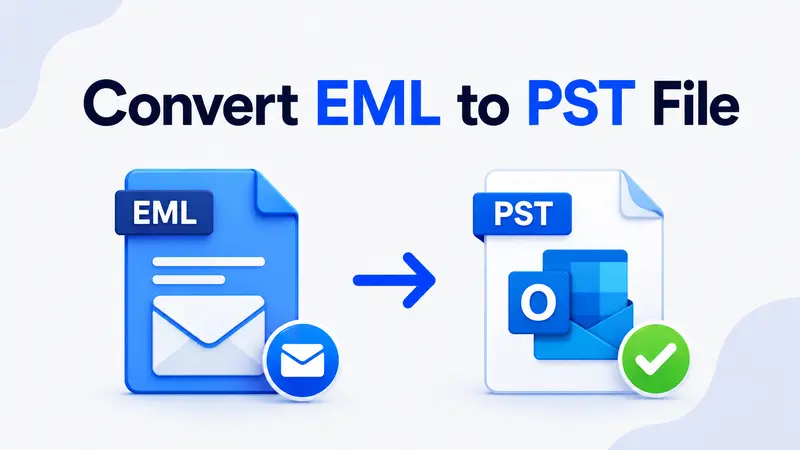
In practice, MSG carries more Outlook-specific metadata like categories and flags. By contrast, EML carries less but works everywhere. So for long term storage and cross-platform sharing, EML wins. However, for staying inside the Outlook ecosystem with all its features intact, MSG wins. Therefore, if you need to convert an EML to something Outlook reads natively, see our guide on converting EML to PST.
When to pick EML
Pick EML when portability matters most. For example, archiving a single message, sharing it with someone on a different platform, or feeding it into a forensic tool all favour EML. Plus, anything that needs to outlive a specific email client should be stored as EML.
When to pick MSG
Pick MSG when you stay inside Outlook end to end. Specifically, MSG preserves Outlook flags, categories, voting buttons and assigned tasks. So if your workflow lives in Outlook on Windows, MSG retains every detail.
When to pick MBOX
Pick MBOX when you need to move entire folders or full mailboxes in one file. For instance, exporting a Thunderbird folder produces one .mbox containing every message. As a result, MBOX is better for bulk moves while EML is better for individual messages.
Are EML Files Safe to Open
The .eml file itself is just text. So it cannot run code on your machine the way an executable does. However, the risk lives inside the file.
Here are three things to watch for:
- Attachments the encoded blocks at the bottom of an .eml can hide anything from a PDF to a ZIP containing malware. Therefore, treat them with the same care you would treat any unknown attachment.
- Phishing links the HTML body can carry links that look like one domain and resolve to another. So hover before clicking.
- Remote content some .eml files request images from a remote server. As a result, opening them in an email client that auto-loads remote content can confirm to a sender that the address is active.
For safety, open suspicious .eml files in a sandboxed viewer or a plain text editor first. Also, never run attachments without scanning them.
Convert EML to Other Formats
While EML is portable, it is not always the right end format. So three common conversions cover most needs.
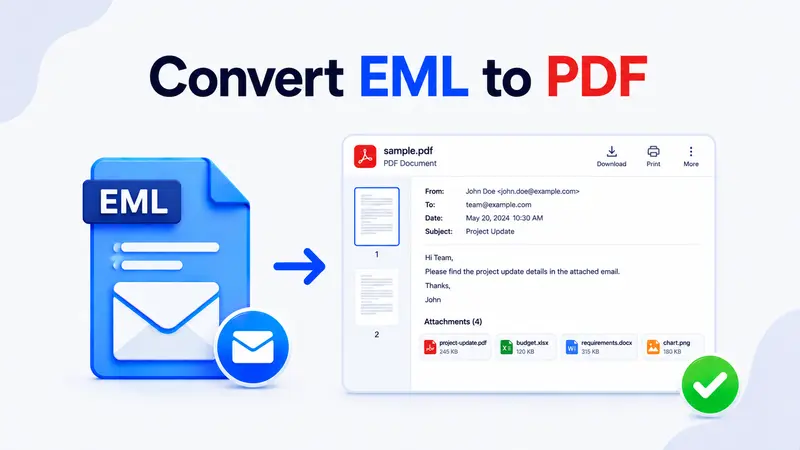
- EML to PDF for archiving, legal hold or sharing with someone who does not use email clients. For the full walkthrough, see our guide on converting EML to PDF.
- EML to PST for importing into Microsoft Outlook with categories and folders preserved. Also see our EML to PST conversion guide.
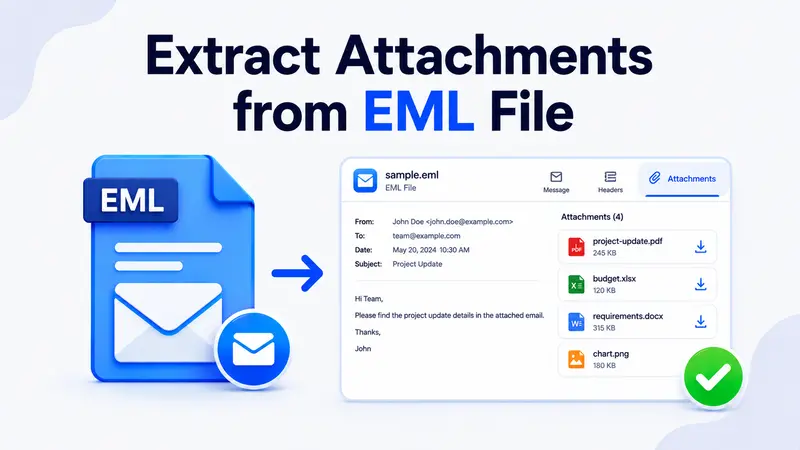
- Extract attachments only when you need the files inside the email and not the email itself. In that case, our attachment extraction guide covers the methods.
However, if your Outlook will not open .eml files at all, the EML file not opening in Outlook troubleshooter walks through every fix.
Troubleshooting Common EML Problems
Most EML headaches come down to a handful of recurring issues. So here is how to handle them.
The file opens as text instead of as an email
This usually means Windows lost the .eml file association. Specifically, right click the file, choose Open with, pick your preferred email client and tick “Always use this app.” After that, the file will open as a message every time.
Attachments appear missing
First, check that your viewer actually parses MIME parts. Some basic text readers show only the body. Instead, switch to a proper email client or an online EML viewer that lists each attachment. Also, confirm the .eml is not truncated, because a half-saved file often loses its final boundary.
Special characters look broken
Garbled characters usually mean the viewer ignored the charset header. So check that the Content-Type line names a charset like UTF-8 or ISO-8859-1. Then reopen the file in a client that respects the declared encoding.
The file is suspiciously large
A 50 MB .eml almost always contains a large attachment encoded in base64. Therefore, expect roughly 33 percent overhead on the original file size. If the math does not add up, then the message may contain inline images or many smaller attachments.
Outlook refuses to open the .eml
This is a common Windows quirk. So for the full fix, see our EML file not opening in Outlook guide.
FAQs
Is .eml the same as an email
Yes and no. An .eml file is the saved copy of a single email message. By contrast, the email itself lives on a mail server until you download or export it. So the .eml is the message captured on disk.
Can I open an .eml file without Outlook
Absolutely. For example, Thunderbird, Apple Mail, Windows Mail and any online EML viewer can open it. Therefore, Outlook is not required for the format to work.
Why is my .eml file so large
Mostly attachments. Specifically, they are base64 encoded inside the .eml, which inflates their size by about 33 percent. For example, a 5 MB photo becomes roughly 6.7 MB inside the email file.
What file type is EML and what opens it
EML is a MIME email message file (RFC 5322). So it opens in Outlook, Thunderbird, Apple Mail, Windows Mail, eM Client, online EML viewers and any plain text editor.
Is .eml a Microsoft format
No. While Microsoft popularised the .eml extension through Outlook Express in 1997, the format is the IETF MIME standard. As a result, any vendor can implement it, and many do.
Can a .eml file contain a virus
The text wrapper cannot, but attachments inside can. Also, phishing links in the HTML body are the other common risk. So scan attachments and verify links before clicking.
How do I edit an .eml file
Open the .eml in a text editor like Notepad or VS Code, then change the text directly. However, remember that editing breaks DKIM signatures and any forensic value. So only edit copies, never originals.
Can I combine multiple .eml files into one
Yes, you can merge several .eml messages into a single .mbox file using Thunderbird’s ImportExportTools NG add-on. Alternatively, a script that concatenates them with proper “From ” separator lines works just as well.
Do .eml files include read receipts or tracking pixels
Headers may show Disposition-Notification-To if the sender asked for a read receipt. Also, the HTML body may include tracking pixels that load from a remote server. So opening in a viewer with images disabled prevents both from firing.
So that is the EML format end to end. In short, a plain text email message in an open standard, readable on every major platform, larger than it looks because of base64 attachments, and safer than a random executable but still worth scanning before you trust what is inside.
Which part of working with EML files is giving you the most trouble right now?